
How Atlas works

One journey, shared by every side of the gym relationship.

Members can start independently, and trainers can coach independently after verification. When a gym relationship exists, discovery creates intent, operations turn intent into membership, coaching creates progress, and members keep the journey moving.

01 Start

Choose an independent or connected path

Members may begin with personal workouts, diet and progress. Trainers may create an independent account and complete verification before adding members or managing plans. A gym connection can be added when it is relevant.

01

This is an operational connection, explained with verified workflow copy instead of an invented product screenshot.
02 Gym

Receive structured intent

Trial and contact requests arrive inside the gym workflow, where operators can review, assign, update, complete, and convert them.

02

This is an operational connection, explained with verified workflow copy instead of an invented product screenshot.

03 Operations

Continue the member lifecycle

Membership, collections, attendance, branch, trainer, reminder, and reporting records stay connected after conversion.

03

This is an operational connection, explained with verified workflow copy instead of an invented product screenshot.

04 Trainer

Coach with member context

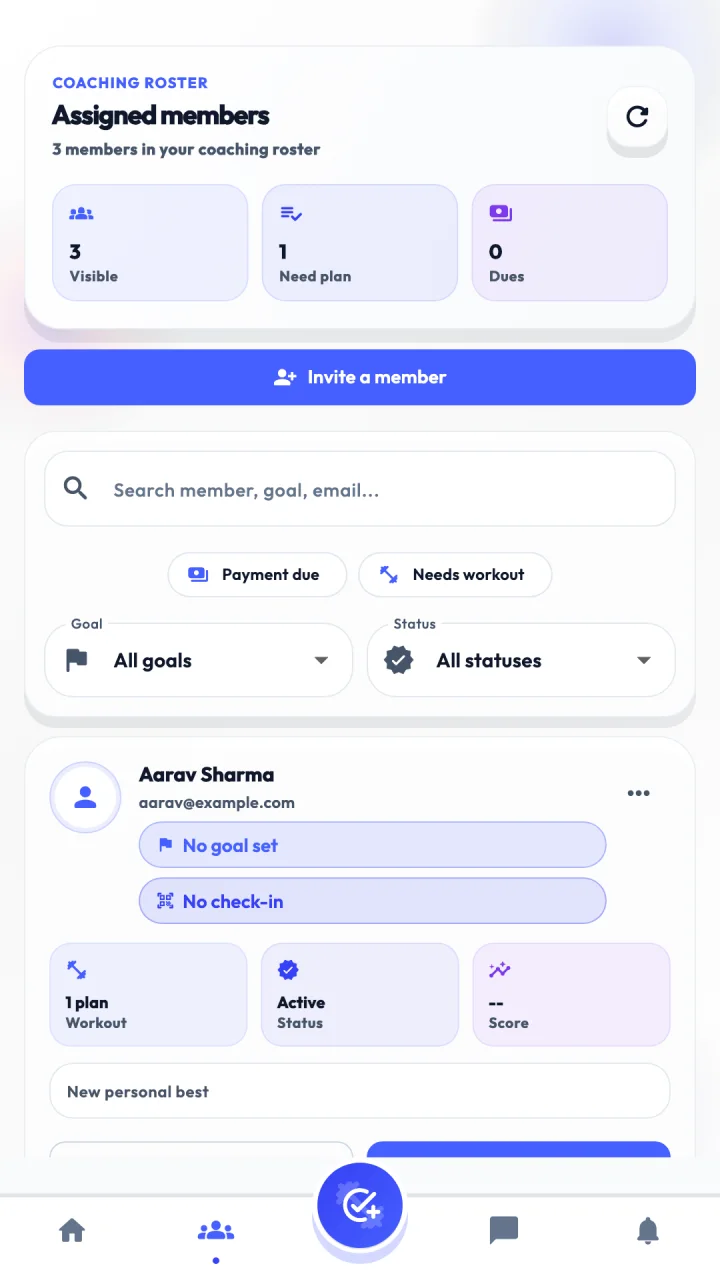
Assigned members, plans, exercises, diet guidance, notes, tasks, attendance, and progress become part of one coaching view.

Atlas Trainer App assigned clients screen.
05 Member

Act, log, and understand progress

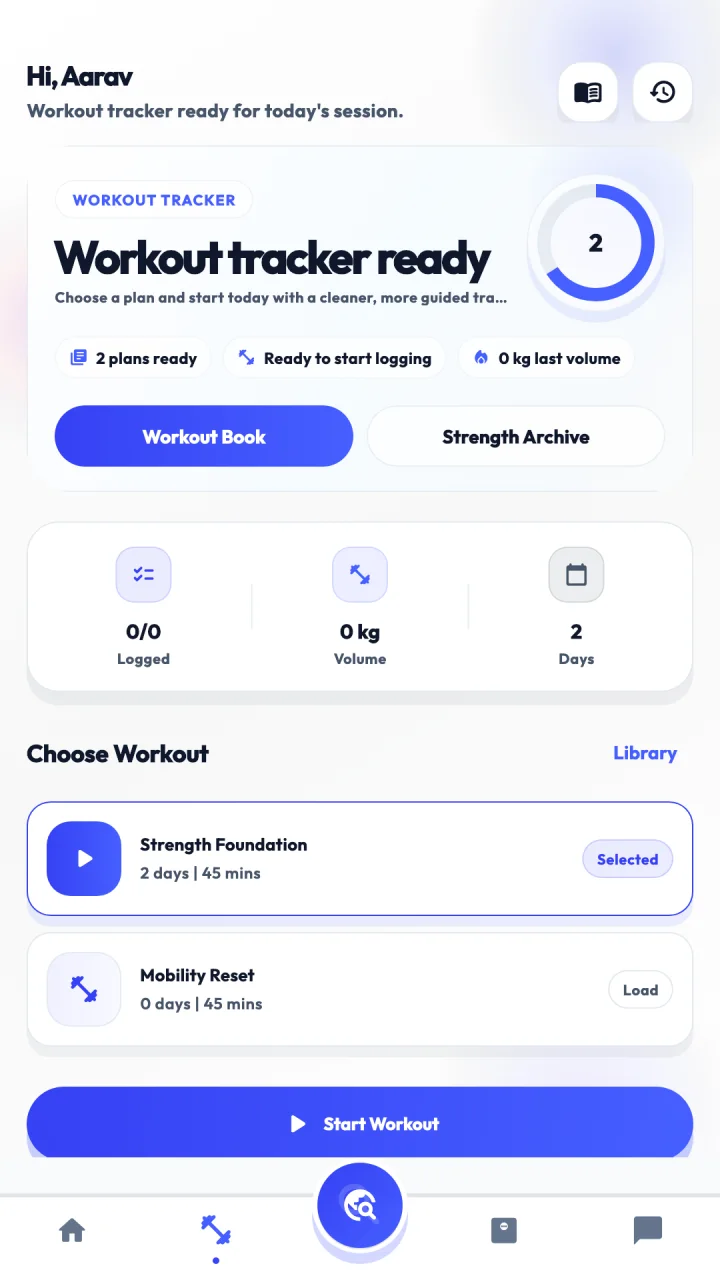
Members follow workouts and diets, log sessions and meals, review history, track progress, and stay connected through notifications and chat.

Atlas Member App workout selection and tracking screen.

Choose your starting point

Explore the part of Atlas that matches your role.

Members can begin independently, trainers can review the verification path or gym-connected workspace, and gym operators can explore the complete management layer.